





Magic Mask Transitions | DaVinci Resolve
By PixFixUnlimited downloads from $16.50/month
- 26+ million premium assets & templates
- Full AI stack: video, image and audio gen
- Lifetime commercial license
- Easy cancelation
Attributes
- File Size
- 49.2 MB
- Application Supported
- DaVinci Resolve
- Required Plugin
- None required
- Commercial License
- Further Information
Description
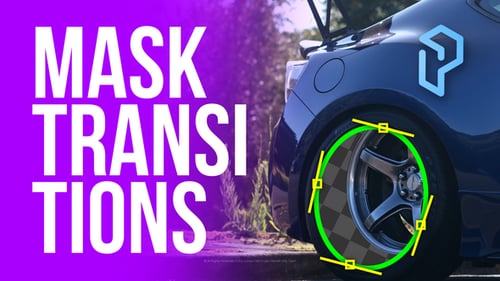
Magic Mask Reveal – Transition for DaVinci Resolve Studio
Reveal your clips through isolated objects — with just one stroke.
This advanced transition uses DaVinci Resolve Studio’s Magic Mask to automatically isolate subjects and create seamless, cinematic reveals between shots. No need for manual keyframing — just draw, track, and go.
Key Features
- AI-Based Object Tracking – Just draw a stroke and track in both directions
- Smooth Cinematic Animation – Foreground and background zoom, motion angle, and blur
- Edge Refinement Tools – Blur, expand/shrink, sharpen mask edges
- Pivot-Based Motion – Animate from the center of the masked object
- User-Friendly Design – With visual overlays and full tutorial
What’s Included
- Magic Mask Reveal Transition (.drfx)
- Video tutorial (setup, tracking, refinement, animation)
- Quickstart guide
Compatibility
- DaVinci Resolve Studio 20.0 and above
- Studio version required – not compatible with the free edition
Create seamless object-based transitions — in just a few clicks.
Update History
- v1.1 – Aug 12, 2025
- Fixed bug preventing mask drawing in Magic Mask (DaVinci 20.1)
- Added Motion Blur to the "Blink" transition
- Optimized mask drawing workflow for smoother performance
- Improved default Matte settings for cleaner results