





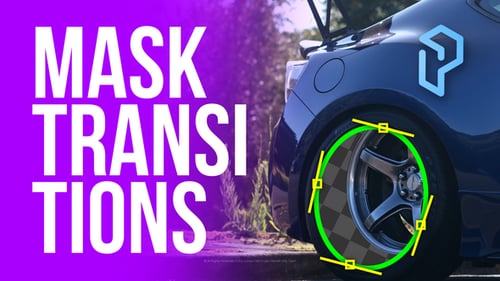
Mask Reveal Transitions | DaVinci Resolve
By PixFixUnlimited downloads from $16.50/month
- 26+ million premium assets & templates
- Full AI stack: video, image and audio gen
- Lifetime commercial license
- Easy cancelation
Attributes
- File Size
- 75 MB
- Application Supported
- DaVinci Resolve
- Required Plugin
- None required
- Commercial License
- Further Information
Description
Mask Reveal Transition – Cinematic Masking for DaVinci Resolve
Reveal like a pro! Create stunning, cinematic transitions by revealing one shot through an object in the foreground — with smooth motion, dynamic zooms, and flawless tracking. Whether you're editing music videos, commercials, reels, or documentaries — this transition will instantly level up your storytelling.
Key Features
- Two Modes – Choose between:
- Tracker Mode – Automatically follow moving objects using Fusion Tracker
- Manual Mode ️ – Full control with manual animation and keyframing
- Draw Mask Tool – Integrated directly into the macro with on-screen controls
- Customizable Controls – Adjust mask softness, direction, zoom strength, and motion blur
- Speed-Ramp Ready – Works perfectly with speed ramping for added impact
- Drag & Drop – Designed for creators. No Fusion knowledge required.
- Fast Performance – Optimized for quick rendering and real-time playback
- Vertical-Ready – Fully compatible with vertical formats for Reels, Shorts, and TikToks
- Beginner-Friendly – Includes intuitive guide overlays and a step-by-step video tutorial
Use Cases
- Object reveals (trees, walls, people, signs, cars, etc.)
- Seamless travel & vlog cuts
- Creative storytelling in edits & intros
️Includes
- Macro for DaVinci Resolve (.drfx)
- Step-by-step video tutorial (draw mask, tracking, manual animation, etc.)
- Readme file
️Compatibility
- DaVinci Resolve 18.5 and above
Add depth, motion, and creativity to your transitions — in just a few clicks.
Update History
v1.1 – May 24, 2025
- Fixed issue with incorrect mask point placement when drawing in Tracker Mode
- Improved mask control responsiveness for better accuracy
- Minor UI optimizations for Fusion overlay handles